Creating Your First License Plate
This page builds a simple plate mod from scratch. By the end, the plate will appear in the parts selector and draw its own background and generated text.
Preparing The Folder
Open the Userfolder
, go to /mods/unpacked, and create this folder structure:
/mods/unpacked/mod_name/vehicles/common/licenseplates/my_license_plate/
Change mod_name and my_license_plate to your own names. Use names that are unique to you. Avoid spaces and special characters in file and folder names, since simple names are easier to package and less likely to conflict with another mod.
Creating The Background
Open your image editor and create the plate background. Do not write the plate number on the image. The game draws the generated text on top of your background.
The common plate sizes are:
30-15: 512x256 px, used by standard US-style plates.52-11: 1024x196 px, used by standard EU-style plates.
You can use this texture template as a starting point.
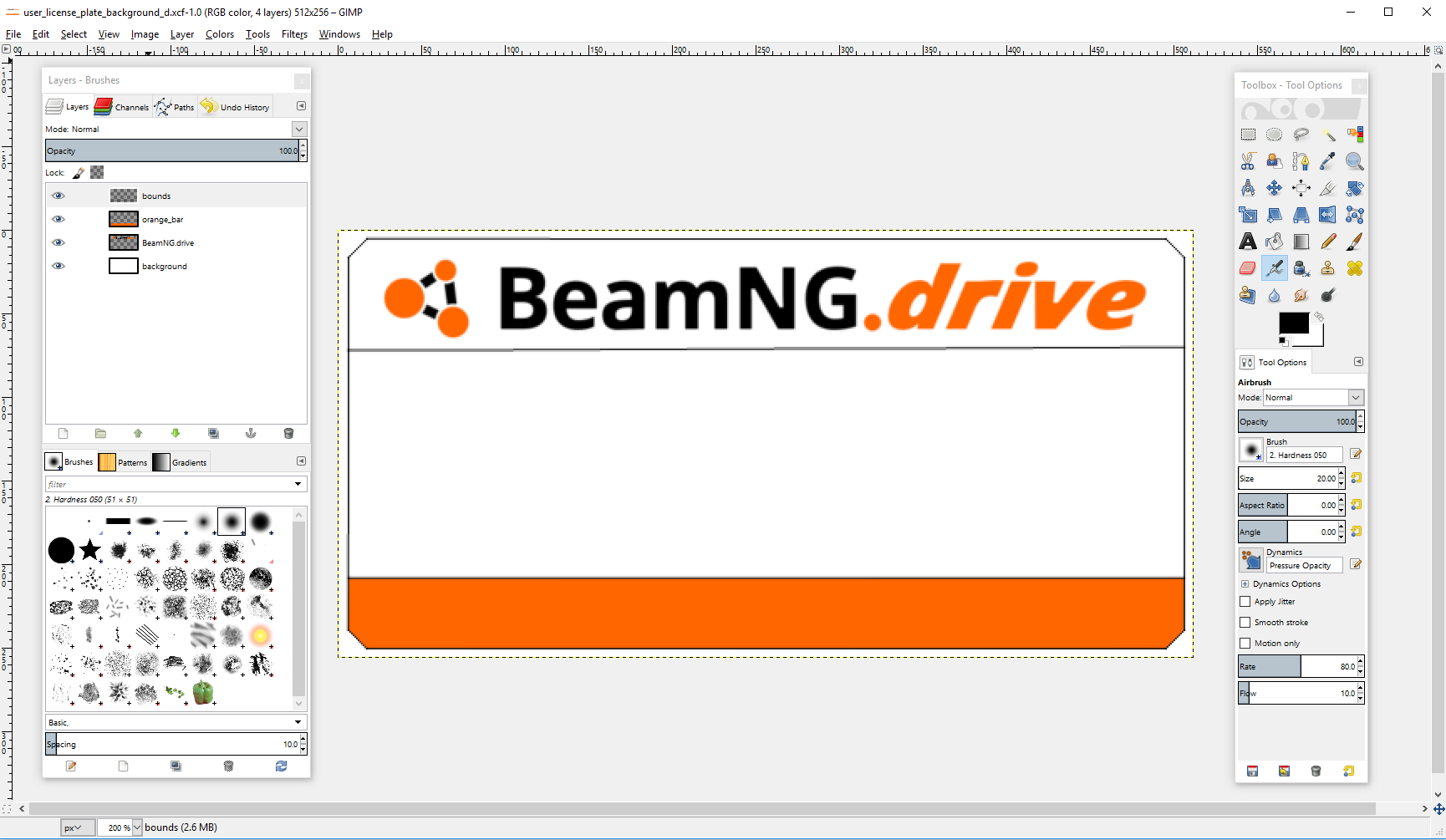
Export the file as PNG inside your plate folder. This tutorial uses:
vehicles/common/licenseplates/my_license_plate/my_license_plate_background_d.png
If you also make a normal map, a common name is the same file with _n before .png.
Creating The Template File
Create this file next to your background image:
vehicles/common/licenseplates/my_license_plate/my_license_plate.sktemplate.json
Paste this example into it:
{
  "name": "my_license_plate",
  "version": 3,
  "type": "licenseplate",
  "vars": {
    "plate": {
      "type": "string",
      "default": "BNG-{d}{d}{d}",
      "charsets": {
        "d": "0123456789"
      },
      "minLength": 0,
      "maxLength": 8
    }
  },
  "format": {
    "30-15": {
      "size": [512, 256],
      "background": "vehicles/common/licenseplates/my_license_plate/my_license_plate_background_d.png",
      "emboss": 3.0,
      "finish": {
        "roughness": 1.0,
        "metallic": 0.0,
        "fgRoughness": 0.7,
        "fgMetallic": 0.0
      },
      "root": {
        "name": "root",
        "style": {
          "justifyContent": "center",
          "alignItems": "center"
        },
        "children": [
          {
            "name": "plate",
            "type": "text",
            "text": "{plate}",
            "font": "plate",
            "color": "#000000",
            "fontSize": 92,
            "fit": "shrink",
            "style": {
              "width": "88%",
              "height": 110
            }
          }
        ]
      }
    }
  }
}
The important parts are:
versionmust be3for the Skia template system.vars.platetells the game how to generate the plate text when the player has not typed custom text.formatcontains one entry per plate size that your mod supports.backgroundis the path to the PNG inside your mod.rootdescribes what gets drawn on the plate. In this first example it only draws one centered text node.
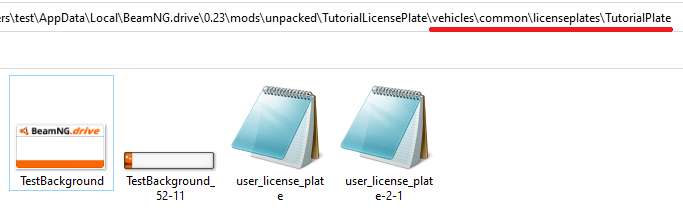
For the path, use the path inside your mod folder, not the full Windows path. If your file is here:
/mods/unpacked/mod_name/vehicles/common/licenseplates/my_license_plate/my_license_plate_background_d.png
then the template path is:
vehicles/common/licenseplates/my_license_plate/my_license_plate_background_d.png
Creating The JBeam Part
Create this file in the same folder:
vehicles/common/licenseplates/my_license_plate/my_license_plate-2-1.jbeam
Paste this into it:
{
  "my_license_plate_2_1": {
    "information": {
      "authors": "Your Name",
      "name": "My License Plate",
      "value": 50
    },
    "slotType": "licenseplate_design_2_1",
    "licenseplate_path": "vehicles/common/licenseplates/my_license_plate/my_license_plate.sktemplate.json"
  }
}
Change my_license_plate_2_1 to a unique part name. The information.name value is what players see in the parts selector.
Keep slotType as licenseplate_design_2_1. The licenseplate_path must point to the template file you created.
Testing In Game
Start the game and spawn a vehicle, then open Vehicle/Vehicle Config, and look for your plate design.
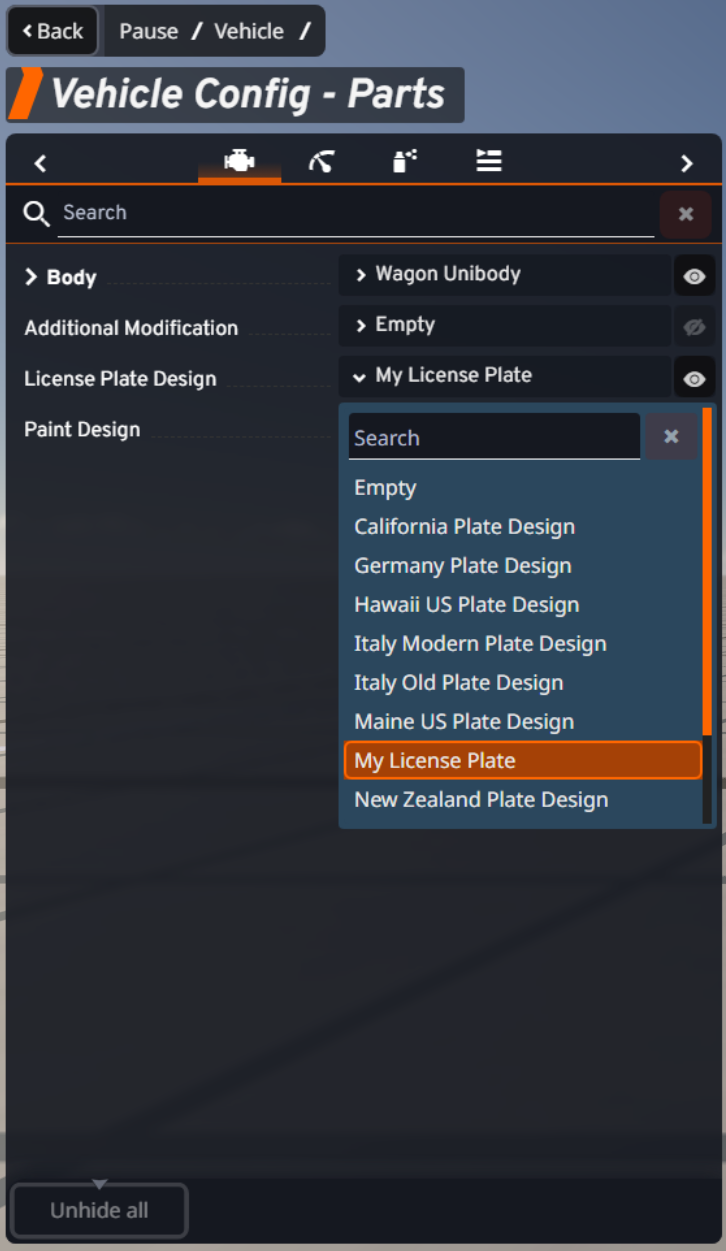
If the plate appears, apply it and check the result on the vehicle.
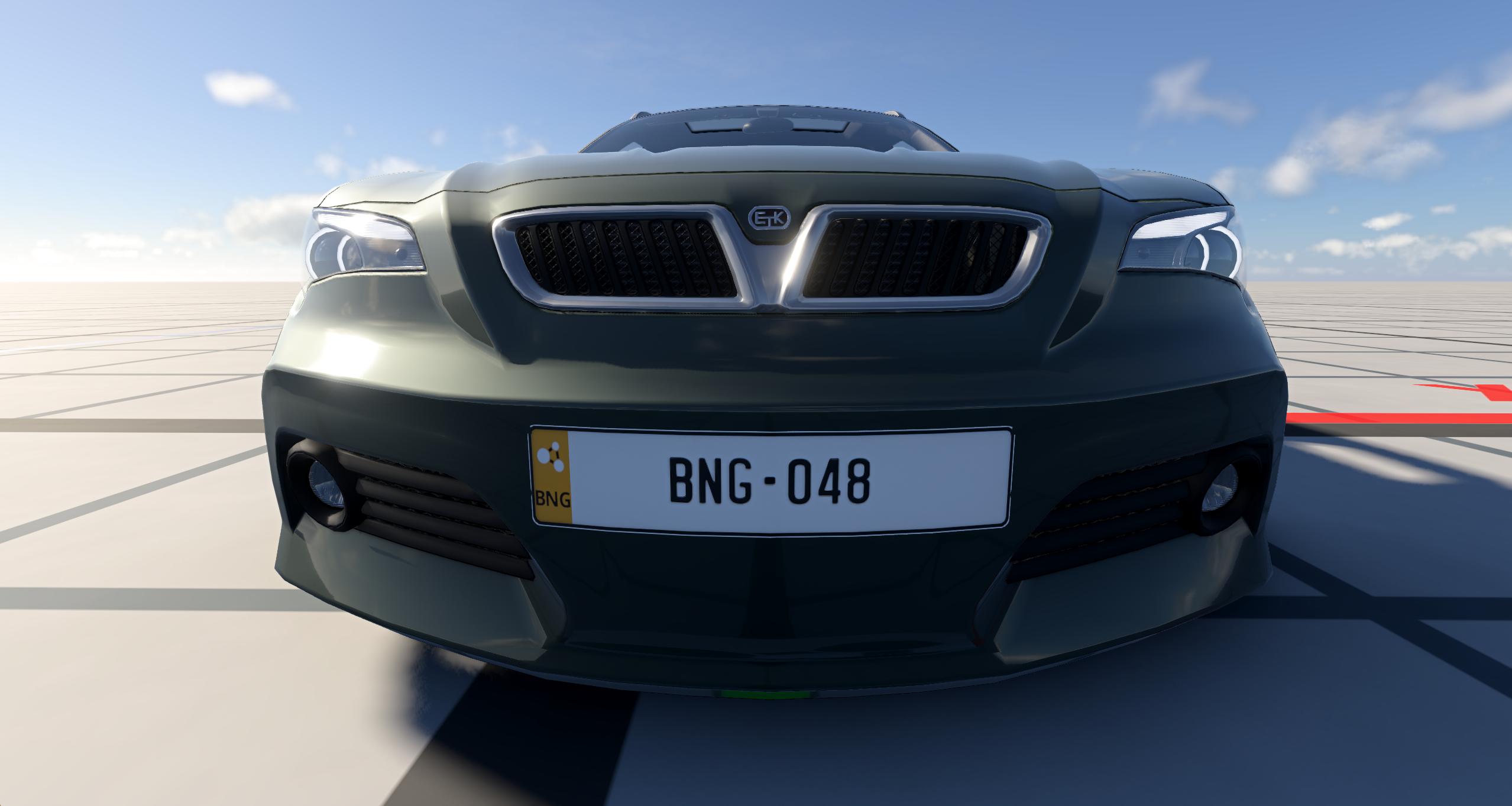
If you see a missing texture, first check the paths in background and licenseplate_path. Most first-time issues are simple path typos.
When everything works, you can pack the mod from the mod manager and upload it like any other mod.
Was this article helpful?
