Ambient Lighting
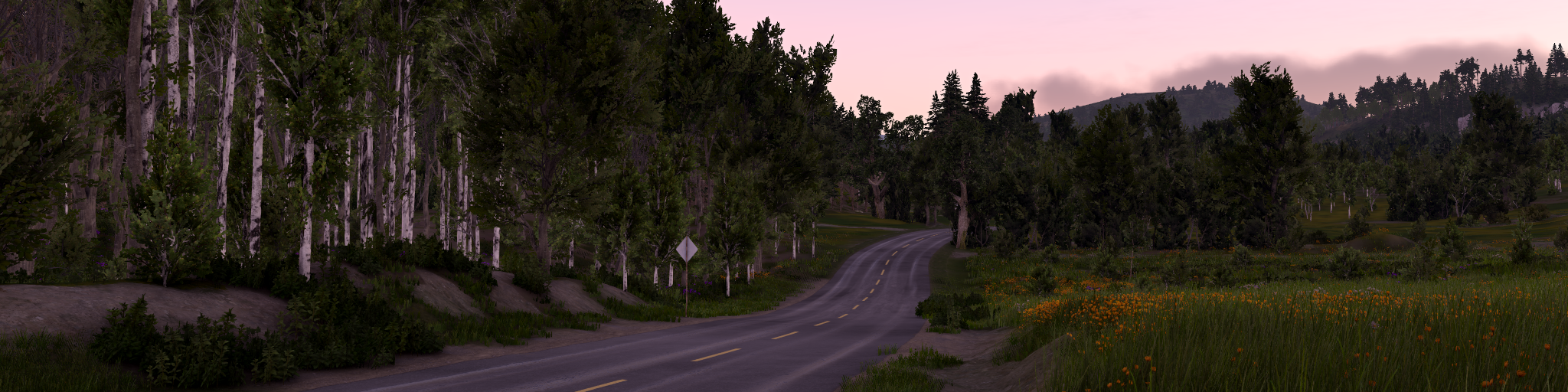
Ambient lighting is indirect light in the scene. It reaches surfaces after being scattered by the sky, clouds, atmosphere, terrain, buildings, and other surrounding objects.
Unlike direct lights, such as the sun, headlights, or street lamps, ambient lighting does not come from one exact direction. Instead, it fills shadowed areas and connects objects to the environment.
Why ambient lighting matters
Without ambient lighting, areas outside direct light would become completely black. Use it to control:
- Keeping shadowed areas readable
- Matching objects to the surrounding environment
- Outdoor scene readability
- Improving material appearance in indirect light
- Supporting reflections and cubemap intensity
- Fog, cloud, and sky lighting consistency
In a physically based setup, ambient lighting works with exposure and tone mapping so shadows stay readable without fake fill lights or arbitrary brightness values.
Direct light vs ambient light
Direct lighting comes from a specific light source.
Examples:
- Sun
- Moon
- Spot lights
- Point lights
- Vehicle headlights
- Street lamps
Ambient lighting is indirect environment light.
Examples:
- Blue sky lighting shadows during daytime
- Soft ground bounce from terrain
- Cloudy sky illumination
- Moonlit atmosphere at night
- Light scattered through fog
A surface can receive both direct and ambient light at the same time.
Sky ambient lighting
In BeamNG, outdoor ambient lighting is mainly driven by the sky and atmosphere. The engine samples the sky and stores the result as directional ambient data using Spherical Harmonics (SH9).
This makes ambient lighting directional:
- Up-facing surfaces receive more sky light
- Down-facing surfaces receive more ground bounce
- Vertical surfaces receive a mix of sky and horizon lighting
This gives outdoor lighting more shape than a single flat ambient color.
The current sky pipeline updates ambient data from the atmospheric sky. It accounts for sun direction, sun transmittance, ground contribution, exposure changes, and cloud transmittance when clouds are active.
Weather and time of day
Ambient lighting changes dynamically with the environment.
It is affected by:
- Time of day
- Sun height
- Moonlight
- Cloud coverage
- Atmospheric scattering
- Fog
- Sky color
- Ground bounce
Ambient color also changes throughout the day. Clear noon skies often produce cool blue shadows, overcast skies are softer and more neutral, and sunset can make ambient light warmer, darker, and more saturated. This affects materials, shadows, reflections, fog, and clouds.
For example, a clear noon sky produces strong blue ambient light in shadows, while an overcast sky creates softer and more uniform ambient lighting. At sunset, ambient light can become warmer or darker depending on sun angle and atmosphere.
Ground bounce
The engine approximates light reflected from the ground into the lower hemisphere. This prevents downward-facing surfaces from becoming completely black and makes objects sit naturally in the scene.
Ground bounce is influenced by sky and sun contribution and is part of the ambient lighting calculation.
Ambient occlusion
Ambient lighting is affected by ambient occlusion. Ambient occlusion darkens areas where indirect light would be blocked, such as:
- Creases
- Corners
- Undercarriage areas
- Interior gaps
- Contact areas between objects
This restores depth that would otherwise be lost when ambient light fills shadowed regions.
BeamNG uses GTAO+ for runtime screen-space ambient occlusion. See Lighting Techniques for how it works, what it affects, and its screen-space limitations.
Since version 0.40, GTAO+ can also produce bent normals for specular occlusion. Regular ambient occlusion darkens indirect light equally in all directions; specular occlusion additionally reduces environment reflections that point toward blocked geometry. This keeps wheel wells, grilles, and tight corners from reflecting sky and environment light that could never reach them. See Specular occlusion .
Relationship with reflections
Ambient lighting is also used to normalize static cubemap reflections against the scene. This affects:
- Vehicle paint
- Glass
- Metallic materials
- Wet roads
- Clear coat
- Glossy props
Dynamic reflection quality is controlled separately by the Dynamic Reflections quality setting. This setting affects reflection quality and performance, but it does not replace correct ambient lighting.
Ambient occlusion also affects reflections. GTAO+ reduces environment reflections in occluded areas, and with Specular Occlusion enabled it does so directionally, so a reflection is only kept where the reflected direction is actually open. Screen space reflections, when enabled, add on-screen detail on top of this, but they still depend on a correct ambient and cubemap setup. See Reflections .
Relationship with fog and clouds
Fog and clouds also use ambient lighting data. Sky ambient data keeps fog and volumetric effects aligned with the current outdoor lighting.
Fog and clouds can shift with:
- Sun position
- Cloud coverage
- Atmospheric color
- Time of day
Atmospheric fog also uses sun direction, sun radiance, exposure, and ambient/fog color data, so it follows sky, sun, and exposure changes.
Cloud quality settings affect volumetric cloud sampling and shadow/transmittance update cost. This can change how accurately clouds influence the sky ambient result, especially in dynamic weather.
For sky object fields and night-sky authoring, see Sky, Atmosphere, and Night Sky .
Impact on content creators
For artists and modders, ambient lighting changes:
- Shadow brightness
- Color tint and saturation in indirect light
- Roughness and metallic readability
- Interior and underside visibility
- How well objects blend into the level
Avoid judging materials only under direct light. Check shadowed areas and different weather/time conditions.
Best practices
- Use realistic (or default) sky, sun, and weather settings before tuning local lights.
- Do not use extra fill lights to compensate for incorrect ambient lighting unless needed for artistic reasons.
- Test materials in both direct sunlight and shadow.
- Check scenes at different times of day and cloud coverage.
- Use ambient occlusion maps to preserve small-scale baked occlusion detail.
- Make sure cubemaps and reflections match the surrounding environment.
- Avoid overbright albedo values, as they can make ambient lighting look washed out.
Common issues
Shadows look too black or flat
Possible causes:
- Ambient occlusion is too strong
- Exposure is set too low
- Material roughness/albedo values are incorrect
Reflections do not match the scene
Possible causes:
- Cubemap was captured under different lighting
- Ambient/cubemap normalization is not enabled
- Material reflection mode is not set correctly
Was this article helpful?
