Auto Exposure
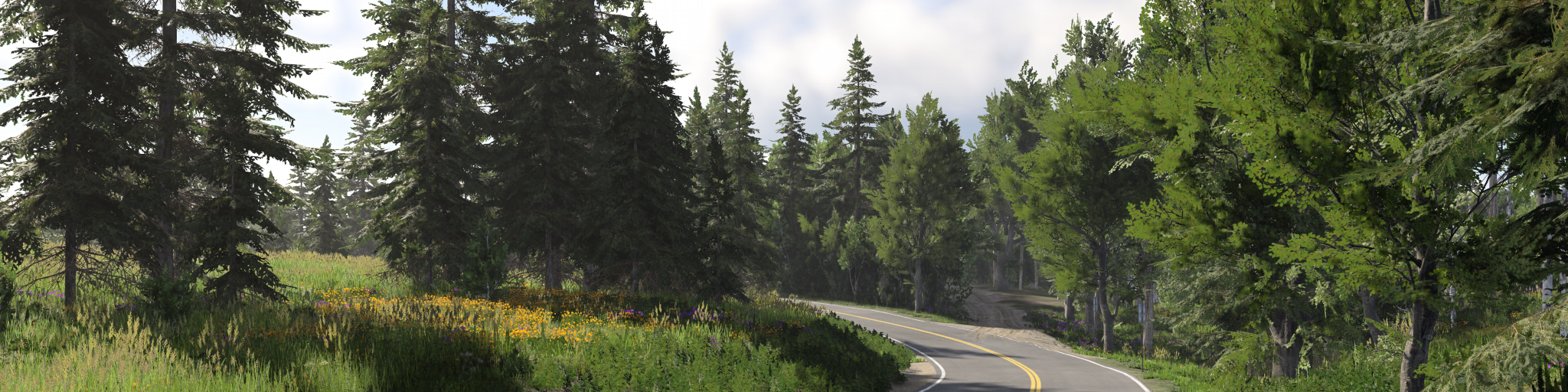
Auto Exposure
Auto Exposure has been introduced in version 0.39, and controls how bright or dark the final image appears by simulating how a real camera or the human eye adapts to changing lighting conditions. In a physically based lighting system, where light intensities use real world values, exposure is essential to keep scenes visible and balanced across a wide range of conditions.
Why it is needed
Real world lighting spans an extreme range of intensities, from less than 1 lux at night to over 100 000 lux in direct sunlight. A fixed exposure cannot cover this full range. Auto Exposure adjusts scene brightness in real time, allowing both dark and bright environments to be viewed consistently without modifying individual lights.
Without exposure control:
- Night scenes would be nearly black
- Daylight scenes would be heavily overexposed
Tone mapping and output encoding handle the final display range, but exposure decides which part of the scene brightness range is visible before that final step.
Manual and automatic exposure
Exposure itself is a fundamental part of physically based rendering and lighting. Automatic adaptation can be disabled, but the image still needs an exposure value.
When Auto Exposure is disabled, the game uses a fixed manual EV100 value instead. This is useful for reference work, screenshots, sensors, and photo mode, but a fixed exposure only works for a narrow set of lighting conditions.
Using a fixed exposure for general gameplay would result in:
- Scenes only looking correct at a specific time of day or lighting condition
- Either crushed blacks (too dark) or blown out highlights (too bright) in most situations
- Constant need to retune lighting per scenario
For this reason, even when using manual exposure, you are selecting a fixed point within the same exposure system, not removing exposure from the pipeline.
How it works
The system measures scene luminance and adjusts exposure in EV100 (ISO 100), the same scale as a real camera.
Metering builds a center-weighted histogram of the frame. The darkest and brightest tails are left out of the average, so a few headlights or a black corner do not set the exposure for the whole image. If the brightest part of the frame would still clip, highlight protection closes the exposure by a limited amount. That keeps a bright sky from turning white when the camera is looking at shadow, without crushing the rest of the picture.
Adaptation has two layers:
- A fast layer follows short changes, such as driving into a patch of shade. It can only move a limited distance away from the slow layer.
- A slow layer is the long-term adaptation. Getting brighter is faster than getting darker, the same way the eye recovers from a glare quicker than it adjusts to a dark tunnel. A large jump, such as a tunnel entrance, speeds this layer up so the image does not wait out the full dark-adaptation time. Scrubbing the time of day does the same.
Exposure stays inside a fixed EV range. Exposure bias shifts the result brighter or darker without changing the measurement. Manual mode disables the adaptation and locks a fixed EV100.
The World Editor toolbar and Photo Mode expose Auto Exposure on/off and Manual EV. Manual EV covers night scenes, daylight, screenshots, and special camera views.
The measurement restarts after a level load and after other large scene changes, so the image settles on the new lighting instead of fading across from the previous one. In VR both eyes share one measurement, so a bright surface filling one eye does not darken only that eye.
Global exposure, local exposure, and tone mapping run at display resolution, after the upscaler. See Temporal Upscaling .
Target luminance
Target luminance is the brightness the metering aims for. It does not change the physical intensity of lights.
It follows the current exposure. A dark, night-adapted view is aimed darker, and a bright daylight view is aimed brighter. The aim moves with the adapted exposure, so a fast brightness change does not make the target overshoot the measurement.
A fixed target can still be set when that curve is turned off. In that mode the target also follows how much sky light the current zone contributes, so an enclosed interior does not keep a daylight aim.
Local exposure
Local exposure improves readability in high contrast scenes, such as tunnel exits, bright skies over dark foregrounds, or interiors with sunlit openings.
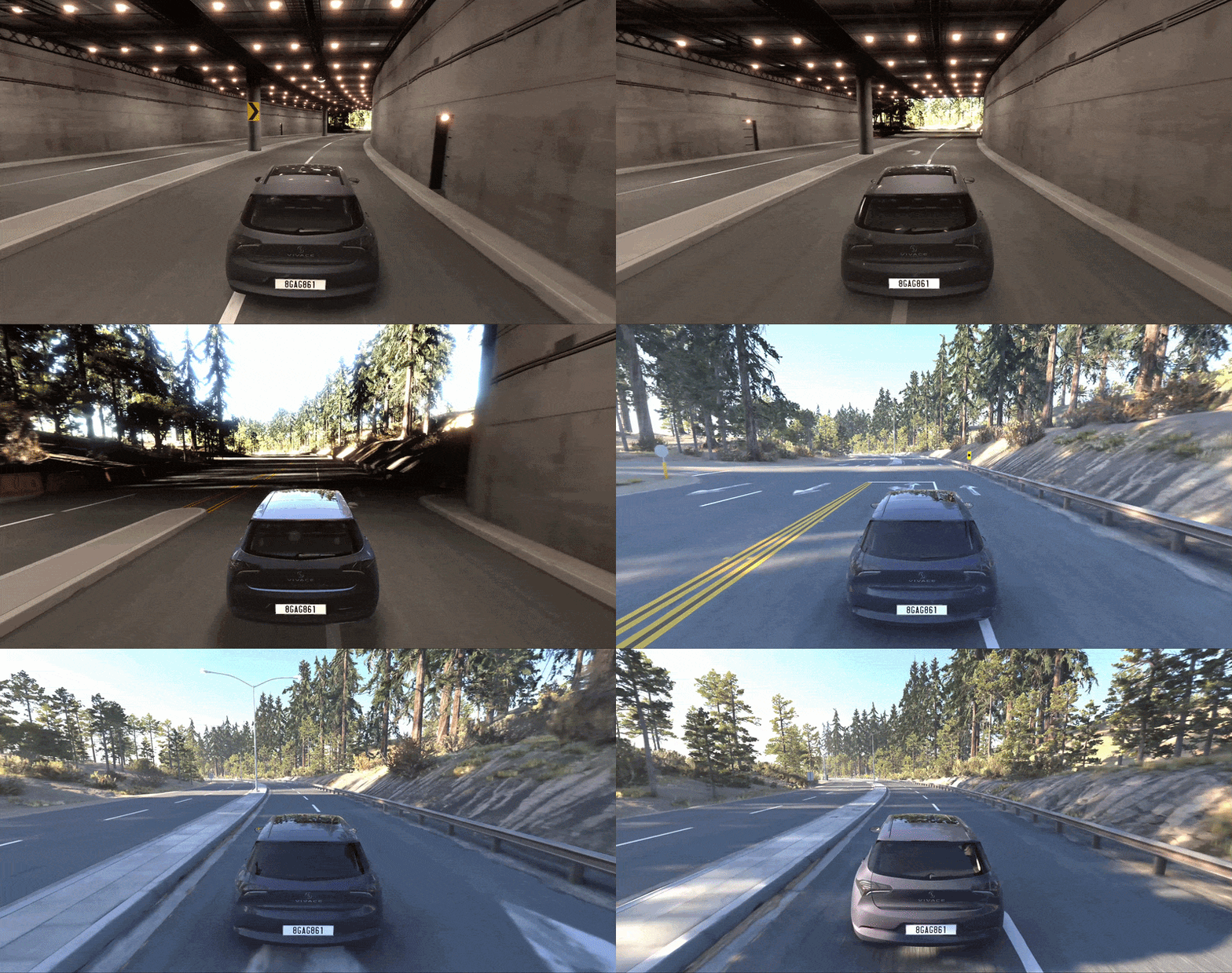
Instead of applying only one exposure value to the whole frame, local exposure builds a bilateral grid of log luminance. Highlights and shadows are adapted on their own, and the grid follows edges, so a bright opening does not bleed its exposure into the dark wall beside it. This keeps detail without asking artists to lower sun intensity, brighten interiors with fake lights, or clamp physically correct values.
Local exposure works together with global exposure and tone mapping. It should not be treated as a lighting authoring tool, but as part of the display pipeline that makes physically based lighting usable across extreme conditions.
Manual exposure
Manual mode disables automatic adaptation and uses a fixed exposure (EV100).
This is especially useful for:
- Validating physically correct lighting
- Comparing scenes against real-world references
- Debugging lighting without automatic adjustments
- Artistic usage in photo mode
However, it is not suitable for general use, as it cannot adapt to changing conditions.
Impact on content creation
Auto Exposure directly affects how all content is perceived:
- Lighting - physically correct light values may appear too bright or too dim depending on exposure
- Materials - albedo, roughness, and reflectivity are perceived differently as exposure changes
- Colors - perceived brightness and saturation shift with exposure, bright scenes can wash out colors, while darker scenes can deepen contrast
- Emissives - may appear weaker or stronger depending on how exposure adapts to the surrounding scene
Very bright emissives are also affected by EV compression at night, which helps prevent extreme emissive values from blowing out under high night exposure. See Tone Mapping and HDR for more detail.
Because of this, content should never be authored or evaluated under a single fixed condition. Always consider how exposure responds dynamically.
 You can control auto exposure and manual exposure directly from World Editor toolbar
Best practices
- Set exposure before fine-tuning lighting or materials
- Use manual exposure to validate physical correctness against known EV references
- Return to Auto Exposure before evaluating gameplay readability
- Test scenes across different times of day and weather conditions
- Verify interior and exterior transitions (e.g. buildings, tunnels)
- Use target luminance or exposure bias for overall brightness control, not light intensity
- Avoid compensating for exposure by changing physically correct values
Auto Exposure is not a workaround, it is a core component of the rendering pipeline. When used correctly, it ensures that physically based lighting, materials, and environments remain consistent and believable under all conditions.
See also
- Exposure Value (EV) Explained - Plus EV Charts - practical ISO 100 EV references for common lighting conditions.
- The Sunny 16 Rule Explained - a simple daylight exposure reference based on incident light.
- What is the Exposure Triangle? - an introduction to aperture, shutter speed, and ISO.
- Auto Exposure in Unreal Engine - a comparable implementation of automatic and manual exposure in another engine.
- You’re Probably Lighting Wrong: Physically Based Lighting in UE5 | Unreal Fest Gold Coast 2024 - a production-focused presentation on physical light values, exposure, and scene validation.
Was this article helpful?
