Lighting Techniques
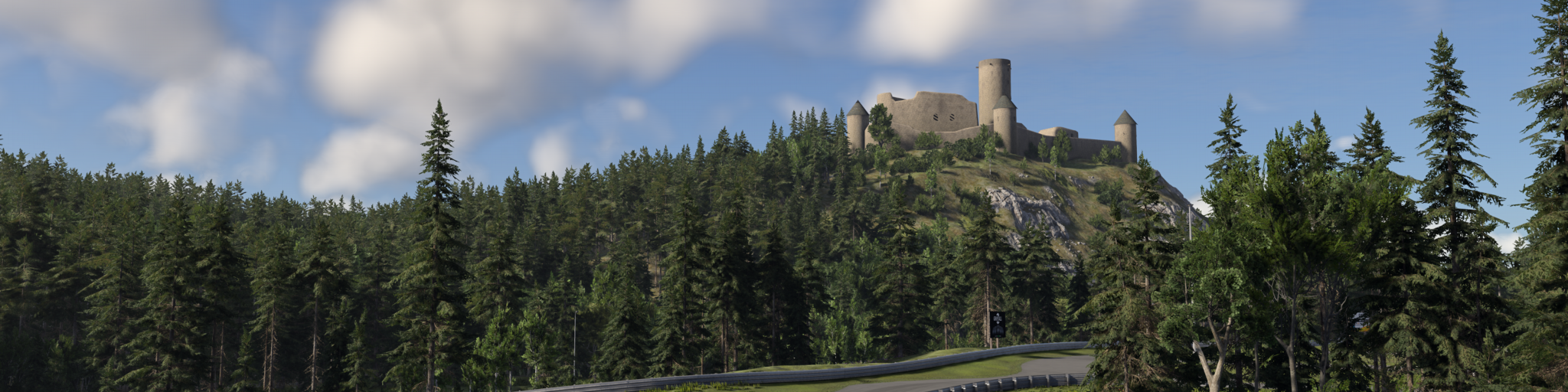
BeamNG combines several techniques to represent direct shadows, indirect-light occlusion, and reflections. Shadow maps provide the main direct-light shadows, SDSM distributes sun-shadow resolution, and PCSS, screen-space shadows, GTAO+, specular occlusion, and screen space reflections address different details that shadow maps and cubemaps alone cannot reproduce efficiently.
These techniques complement one another:
| Technique | Affects | Uses | Main purpose |
|---|---|---|---|
| Shadow maps | Direct sun and local lights | Scene rendered from the light | Main direct-light visibility |
| SDSM | Sun shadow-map cascades | Visible camera depth | Concentrate cascade resolution around visible geometry |
| PCSS | Shadow-map filtering | Shadow maps and blocker depth | Contact-hardening penumbra |
| Local light source radius | Clustered point and spot light shadows | Shadow atlas and light emitter size | Distance-dependent shadow softness for local lights |
| Screen-space shadows | Direct sunlight | Visible camera depth | Fine contact and distant shadow detail |
| GTAO+ | Ambient diffuse and environment reflections | Visible depth and surface normals | Indirect-light occlusion |
| Specular occlusion | Environment reflections | GTAO+ bent normals | Directional occlusion of reflections |
| Screen space reflections | Glossy reflections | Visible depth, normals, and previous frame color | Accurate local reflections on top of cubemaps |
Shadow maps
Shadow maps render scene depth from a light’s point of view. During lighting, the engine compares each surface with that depth to determine whether the light can reach it.
The sun uses cascaded shadow maps to cover a large distance around the camera. Local lights use their own shadow maps or a shared shadow atlas. These maps provide stable large-scale shadows from geometry both inside and outside the current camera view.
Shadow maps have finite resolution. Increasing Shadow Quality improves their texture resolution, but small or distant details can still occupy too few texels to produce a clear shadow. Filtering is also needed to soften their otherwise hard, aliased edges.
SDSM cascade distribution
The sun uses Sample Distribution Shadow Maps (SDSM) together with its cascaded shadow maps. SDSM measures the range of visible camera depth and fits the four sun-shadow cascades around the part of the scene that is currently visible. This concentrates the available shadow-map resolution where it is useful instead of spending it on large empty depth ranges.
SDSM adjusts cascade placement, not shadow-map resolution or maximum shadow distance. Its depth range is updated gradually to avoid visible resolution jumps during camera movement. It runs automatically whenever sun cascaded shadows are active and does not have a separate graphics setting.
PCSS contact-hardening shadows
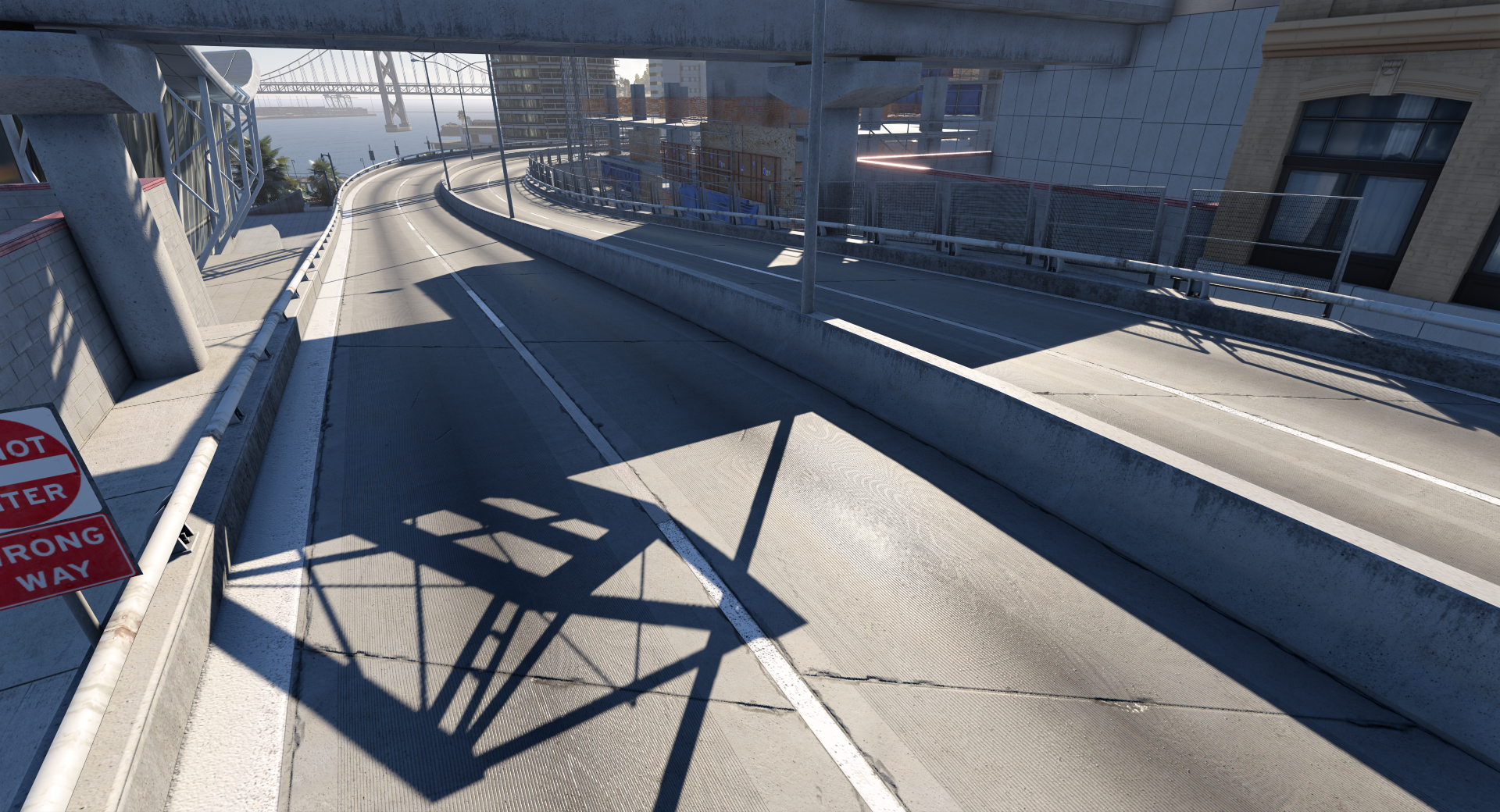
Percentage-Closer Soft Shadows (PCSS) filters shadow maps using the distance between the shadow caster and receiving surface. It first searches for blocking geometry, then widens the filter as the separation from that blocker increases.
The result follows the behavior of an area light:
- Shadows remain relatively sharp where an object touches a surface.
- The penumbra becomes wider and softer farther from the caster.
- The shadow-map resolution and represented geometry do not change.
Ultra Lighting Quality enables PCSS penumbra for sun shadows. Clustered local lights use the same idea through their source radius since version 0.40: a PointLight or SpotLight with a sourceRadius greater than zero produces shadows that are sharp at the contact point and soften with distance from the caster, as if the light were a small sphere or disc instead of a point. See Lights and shadows
for the field.
PCSS Off
PCSS On
Screen-space shadows
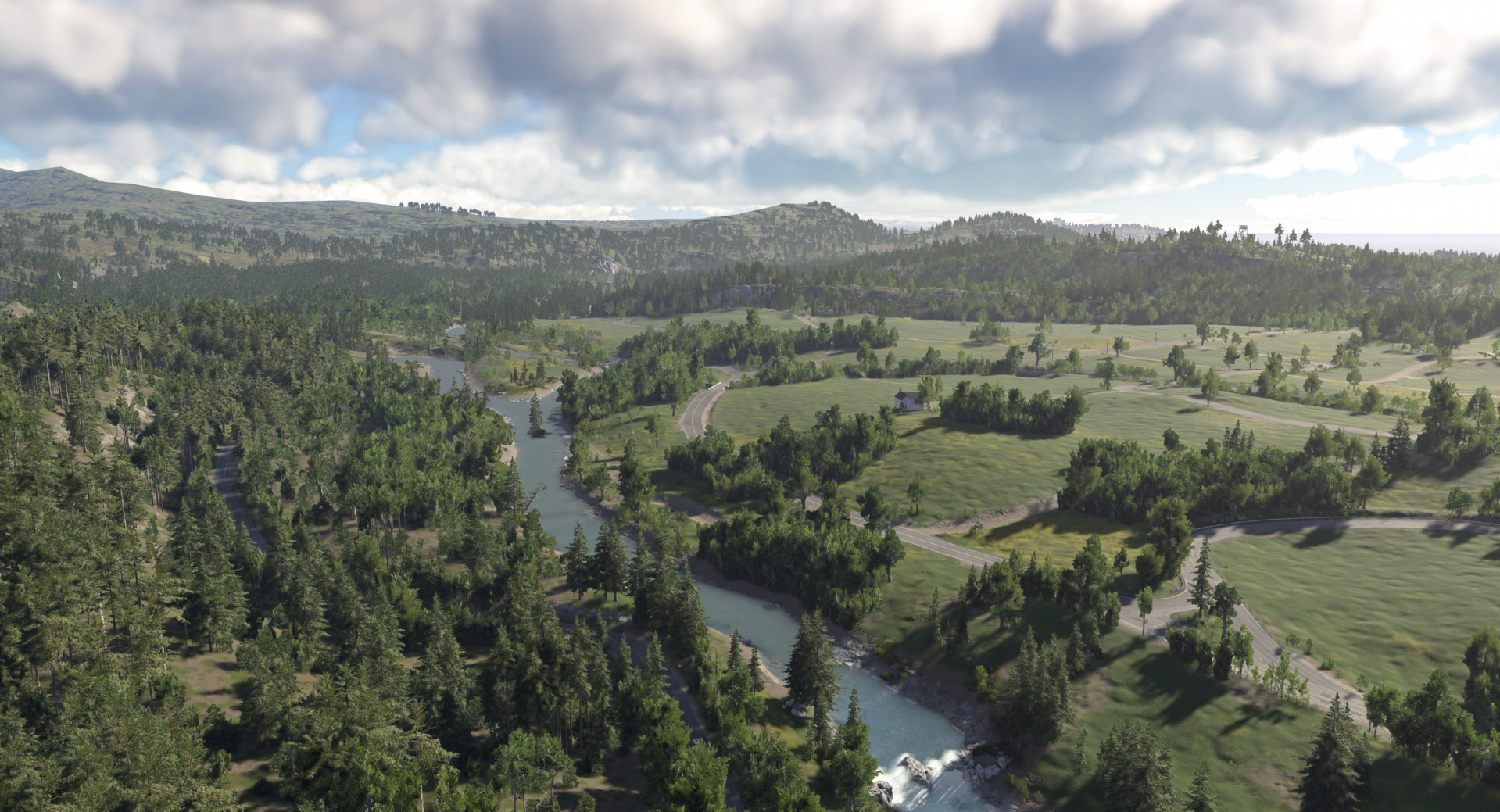
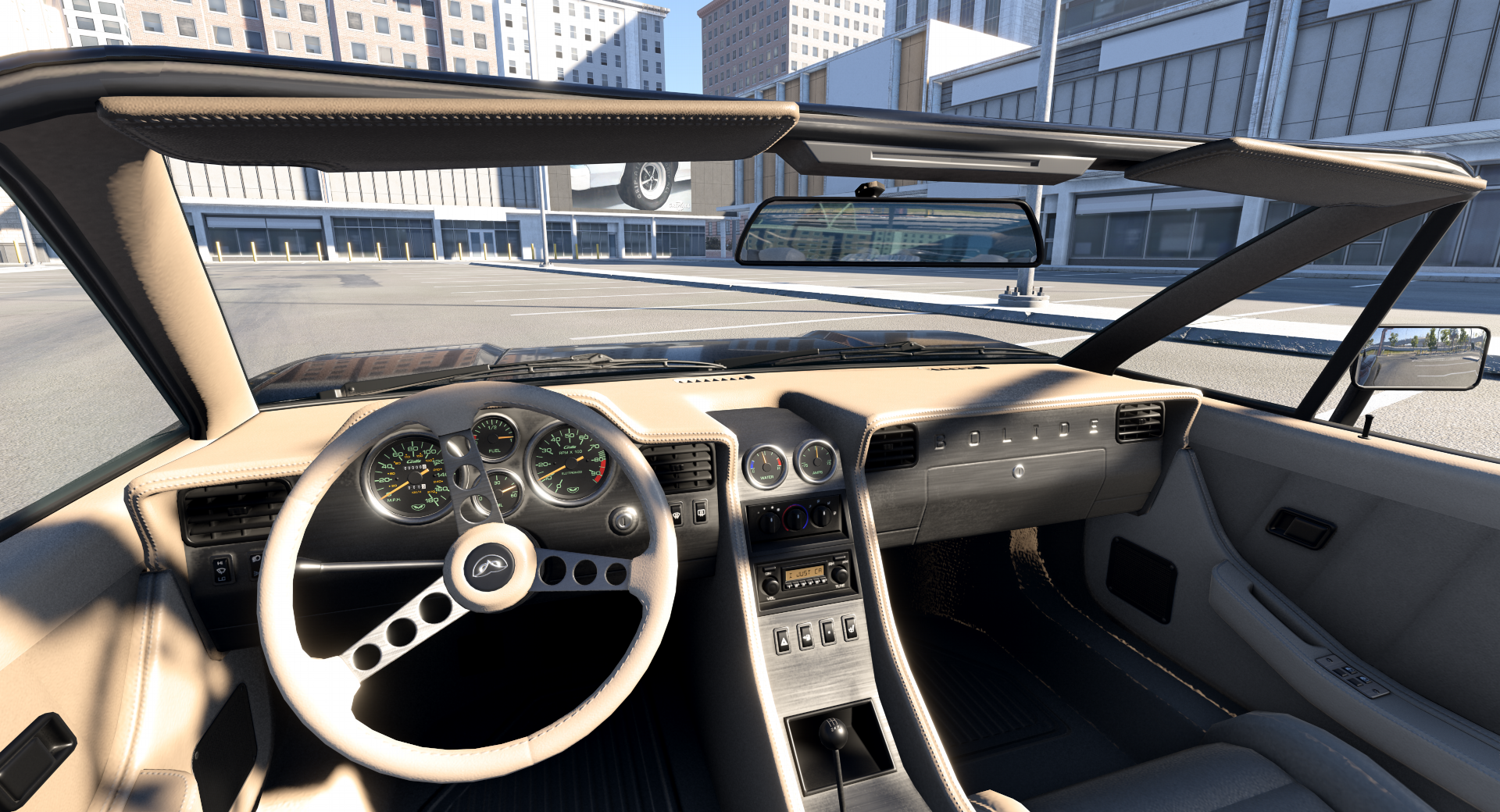
Screen-space shadows add fine direct-sun shadowing by tracing through the scene depth visible to the camera. Their result is combined with the sun shadow-map result, so they can only add missing shadow detail rather than remove existing shadows.
This is useful for:
- Contact shadows from small visible geometry.
- Thin details that occupy too little space in a sun shadow cascade.
- Distant visible geometry whose shadow-map representation is limited.
Screen-space shadows do not replace shadow maps or PCSS. Shadow maps provide the main large-scale result, PCSS controls its penumbra, and screen-space shadows add view-dependent detail.
Because the technique only knows about the current camera depth, geometry outside the view or hidden behind the nearest visible surface cannot cast these shadows. Detail can disappear near screen edges or as an occluder leaves the frame. The effect is therefore faded near the edges and should not be required for essential scene readability.
Screen-space shadows are enabled by the Normal, High, and Ultra overall graphics presets when supported. They are disabled by the Low and Lowest presets, when Shadows Quality is Disabled, or when Lighting Quality is Lowest.
Landscape — Screen-Space Shadows Off
Landscape — Screen-Space Shadows On
Interior — Screen-Space Shadows Off
Interior — Screen-Space Shadows On
GTAO+ ambient occlusion
Screen-space ambient occlusion (SSAO) estimates how much indirect environment light is blocked by nearby geometry. BeamNG uses a customized Ground Truth Ambient Occlusion implementation called GTAO+.
GTAO+ reads the visible scene depth and surface normals, searches around each pixel for geometry that blocks its surrounding hemisphere, and produces a visibility mask. This mask reduces ambient diffuse lighting and environment reflections, including ambient light produced by the sky. It adds depth to corners, contact areas, undersides, wheel wells, and other places that would otherwise receive too much indirect light.
BeamNG’s implementation extends XeGTAO with bitmask-based horizon sampling. It calculates occlusion at half resolution, then uses motion data and previous frames to reconstruct a stable full-resolution result. A depth- and normal-aware filter smooths the result while preserving edges. Higher Ambient Occlusion Quality uses more detailed sampling for cleaner contact shading.
GTAO+ does not create light, affect direct sun or local lights, or replace their shadows. Like other screen-space techniques, it cannot detect geometry outside the view or hidden behind the nearest visible surface. Its result can change near screen edges, around thin geometry, during fast motion, or when previously hidden surfaces become visible.
Material ambient-occlusion maps remain useful for small baked details that GTAO+ cannot detect. Material AO and the GTAO+ visibility mask are combined during shading.
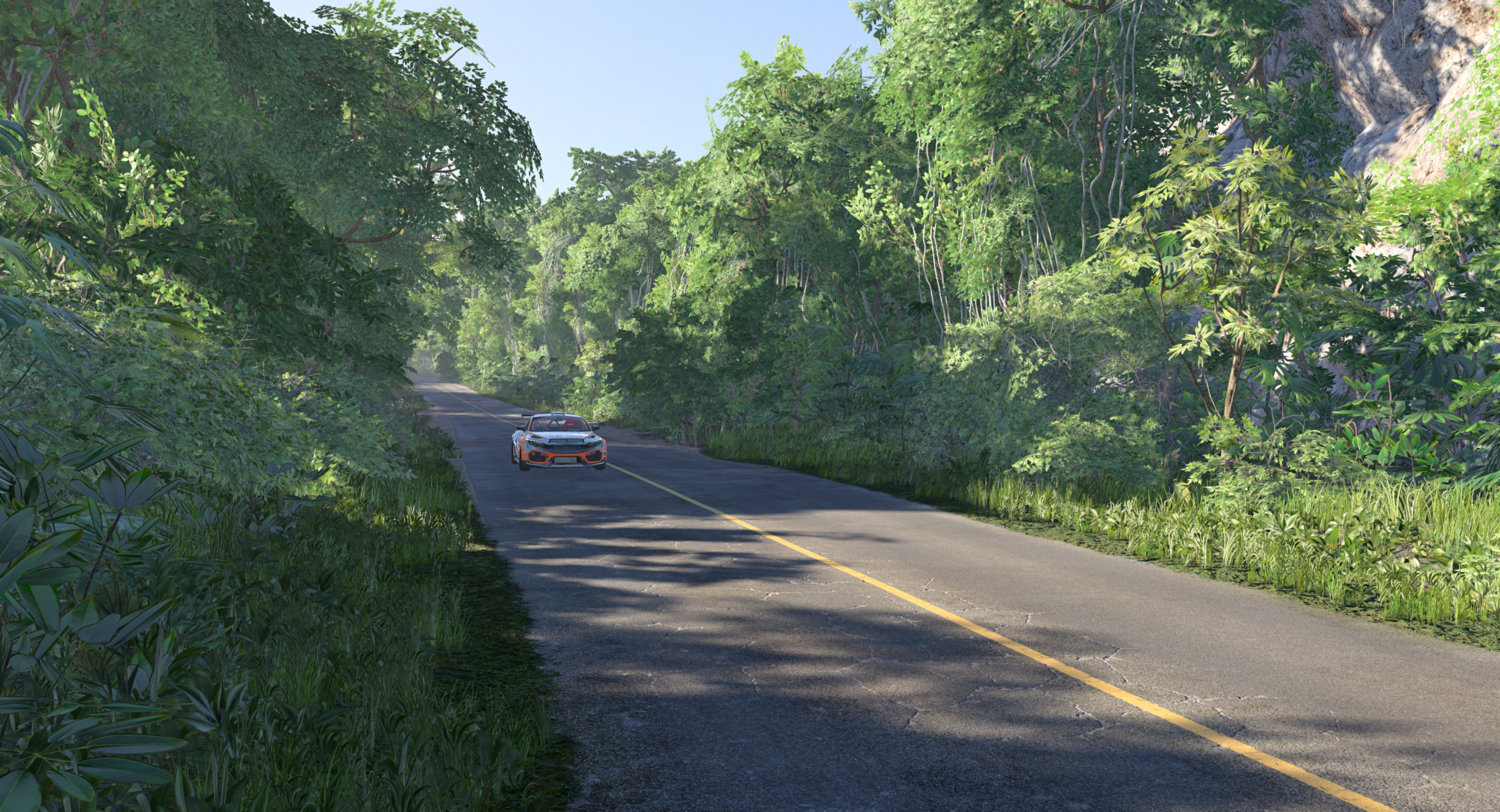
Clear weather - GTAO+ Off
Clear weather - GTAO+ On
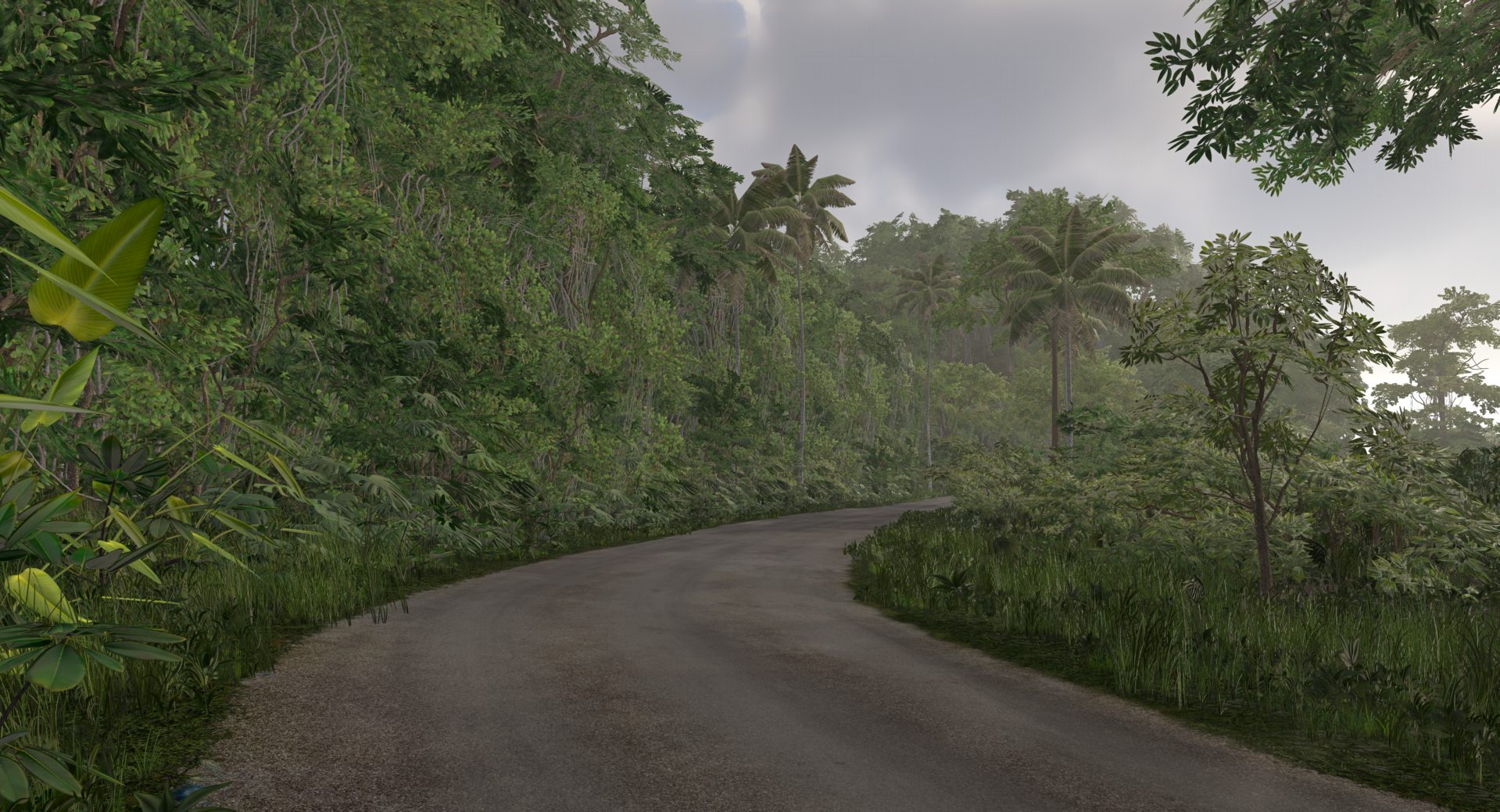
Overcast - GTAO+ Off
Overcast - GTAO+ On
Ambient occlusion quality is controlled by Ambient Occlusion in the graphics options with the modes Off, Normal, and High. Normal and High differ in the number of samples used per pixel. The Normal, High, and Ultra presets use Normal; Lowest and Low turn it off.
Specular occlusion
Since version 0.40, GTAO+ can also produce bent normals. Regular ambient occlusion is a single value that darkens all indirect light equally. A bent normal additionally stores the average direction in which the surrounding geometry is open, together with how wide that opening is.
Specular occlusion uses this directional information for environment reflections. A reflection is only visible if the reflected direction points into the open part of the hemisphere. When the reflected direction points toward nearby geometry, for example the inside of a wheel arch reflecting the sky cubemap, the reflection is reduced. Without specular occlusion, such places can show reflections of sky or environment that could never reach them, which makes cavities and contact areas look too shiny.
In practice:
- Reflections in wheel wells, under bumpers, inside grilles, between closely parked vehicles, and in tight interior corners are reduced.
- Open surfaces such as a car roof or road remain unchanged.
- Mirror-like surfaces keep the regular ambient occlusion, because a single opening direction cannot resolve a sharp mirror reflection. The effect increases with roughness.
- Material AO maps and baked occlusion still apply and are combined with the screen-space result.
Specular occlusion is enabled with Specular Occlusion in the graphics options. It requires Ambient Occlusion to be enabled and Lighting Quality set to High or Ultra. It is off in every preset. Like GTAO+, it is a screen-space technique and shares its limitations near screen edges and behind visible geometry.

Exterior - Specular Occlusion Off
Exterior - Specular Occlusion On

Interior - Specular Occlusion Off
Interior - Specular Occlusion On
Screen space reflections
Since version 0.40, Screen Space Reflections (SSR) trace reflection rays through the depth of the current image to find what a glossy surface reflects. Where a ray hits visible geometry, the reflection comes from the on-screen color; where it misses, the material falls back to its cubemap reflection.
SSR is documented in detail on the Reflections page, including how it combines with cubemaps, water, and interior glass. In the context of this page, SSR is to reflections what screen-space shadows are to shadow maps: a screen-space refinement that adds local accuracy, but that cannot see outside the camera view and must not be the only source.
Why all above techniques are needed
No single technique covers every lighting case at a practical cost:
- Shadow maps establish whether direct light reaches a surface.
- SDSM concentrates sun-shadow cascade resolution around visible geometry.
- PCSS and the local light source radius give those mapped shadows realistic distance-dependent softness.
- Screen-space shadows recover fine visible sun-shadow detail.
- GTAO+ reduces indirect environment light where nearby geometry blocks it.
- Specular occlusion removes reflections that point into blocked directions.
- Screen space reflections add accurate local reflections where cubemaps are only an approximation.
PCSS, source radius, and screen-space shadows affect direct-light shadows. GTAO+ and specular occlusion affect indirect ambient lighting and reflections. SSR affects reflections only. A dark GTAO+ crease is therefore not a substitute for a sun or local-light shadow, and SSR is not a substitute for a correct cubemap setup.
Best practices
- Author the scene around shadow maps and correct physical lighting first.
- Use Shadow Quality to evaluate shadow-map resolution.
- Use Ultra Lighting Quality to evaluate sun PCSS penumbra.
- Check Normal and lower presets without relying on screen-space detail.
- Use material AO maps for small baked occlusion that screen-space depth cannot represent.
- Enable Specular Occlusion and Screen Space Reflections when checking reflective materials, but confirm the scene also reads well with both disabled.
- Give physically large local light fixtures a
sourceRadiusinstead of relying on shadow blur to hide resolution.
Related pages
- Sky, Atmosphere, and Night Sky - sky-derived ambient light and outdoor lighting.
- Ambient Lighting - SH9 sky lighting, ground bounce, and indirect light.
- Reflections - cubemaps, planar reflections, and screen space reflections.
- Lights and shadows - local light setup, clustered shading, and source radius.
- Lighting Quality - graphics presets and quality settings.
- Post Process Effects - PostFX controls and named effects.
Further reading
- XeGTAO - Intel’s open-source reference implementation of Ground Truth Ambient Occlusion and the foundation of BeamNG’s GTAO+ path.
- Screen space indirect lighting with visibility bitmask - research introducing the visibility-bitmask representation used by BeamNG’s horizon-based ambient occlusion sampling.
- Inside Bend: Screen Space Shadows - Bend Studio’s technical overview, presentation, and reference code for the screen-space shadow technique used by BeamNG.
- Sample Distribution Shadow Maps - the original SDSM paper, describing how visible depth samples can automatically optimize shadow-cascade placement.
- Percentage-Closer Soft Shadows - NVIDIA’s original PCSS paper, covering blocker search, penumbra estimation, and distance-dependent shadow filtering.
- Practical Realtime Strategies for Accurate Indirect Occlusion - Jimenez et al., the GTAO paper that also introduces bent-normal specular occlusion as used by BeamNG.
- Ambient Aperture Lighting - Oat and Sander’s cone-overlap formulation used to intersect the visible aperture with the specular lobe.
- AMD FidelityFX Stochastic Screen Space Reflections - the open-source hierarchical ray marching and denoising technique that BeamNG’s screen space reflections are built on.
Was this article helpful?
